Creating a Facebook Ad Account for your church is one of the most important steps in building a strong digital outreach system in 2026. It allows your church to run ads, reach new people in your local area, and grow your ministry through targeted online engagement.
This step-by-step guide will help you set up everything correctly inside Meta Business Manager so your church can start running effective Facebook ads without confusion or technical mistakes.
Before You Begin:
- You need a personal Facebook account
- Your church Facebook Page must already be created
- You should have access to Meta Business Manager
- A valid email address is required for setup
- A payment method (debit/credit card) is needed for ads
Step 1: Access Meta Business Manager
- Go to business.facebook.com
- Log in using your personal Facebook account
- Click on “Create Account”
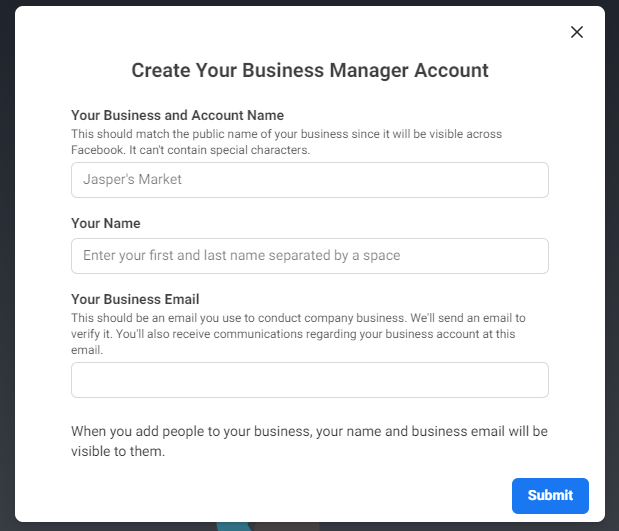
- Enter your church name, your name, and email address
- Verify your email to activate your account
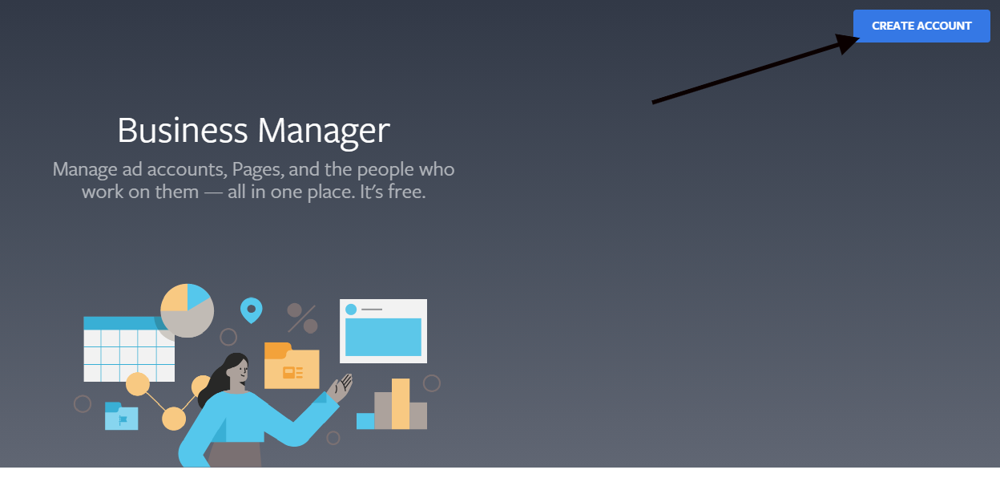
Step 2: Create Your Business Manager Account
- Open Meta Business Manager dashboard
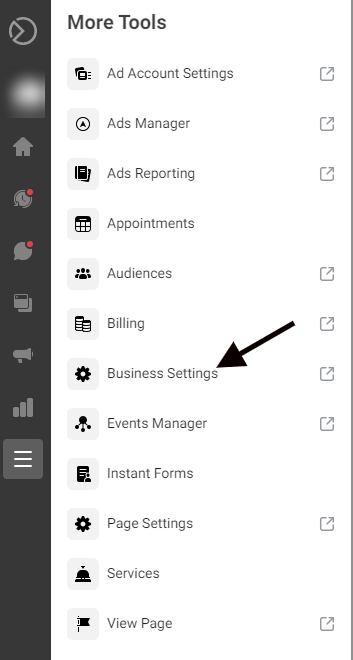
- Go to Business Settings
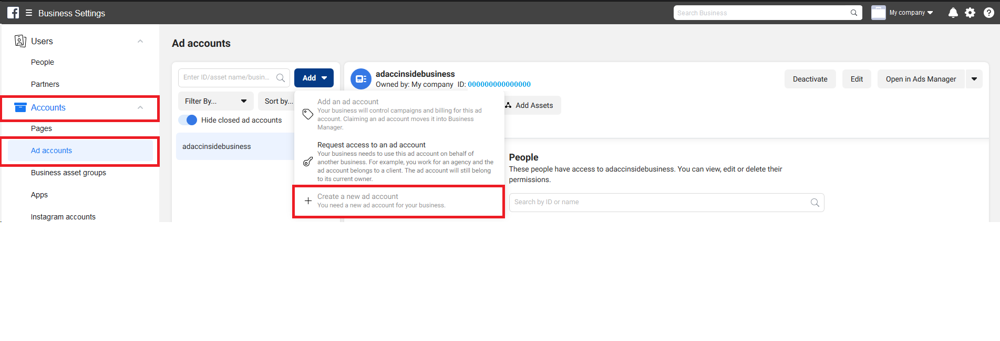
- Click on “Accounts” in the left menu
- Select “Ad Accounts” option
- Click “Add” and then choose “Create a New Ad Account”
Step 3: Set Up Your Ad Account Details
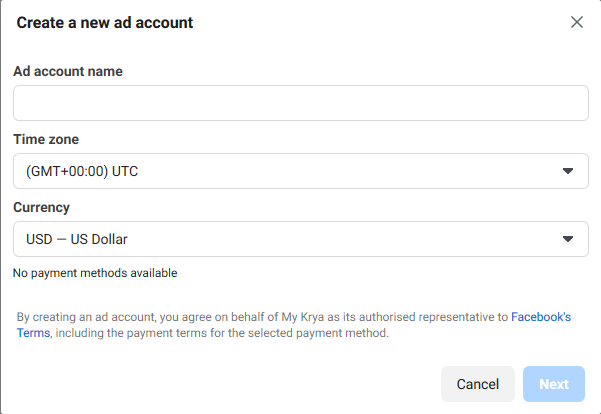
- Enter your ad account name (example: Church Name Ads)
- Select your time zone correctly
- Choose currency (cannot be changed later)
- Click “Next” to continue setup
Step 4: Assign Account Ownership
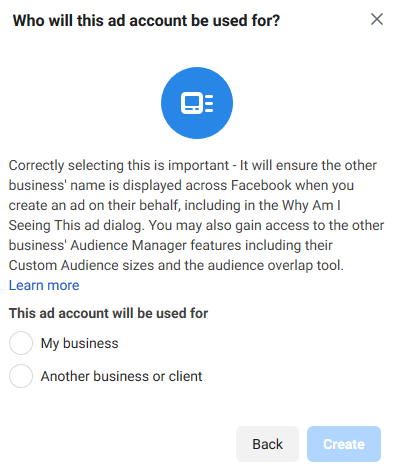
- Select “My Business” as ownership type
- Confirm that the ad account belongs to your church
- Click “Create” to finalize setup
Step 5: Add Admin Access
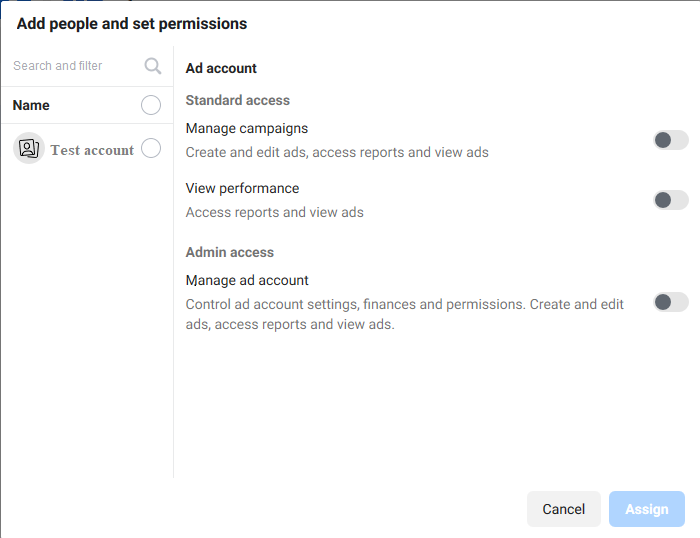
- Add yourself as admin of the ad account
- Grant full access permissions
- Add team members if needed (optional)
- Save all changes
Step 6: Add Payment Method
- Go to Payment Settings in Business Manager
- Click “Add Payment Method”
- Enter your card or billing details
- Save payment information securely
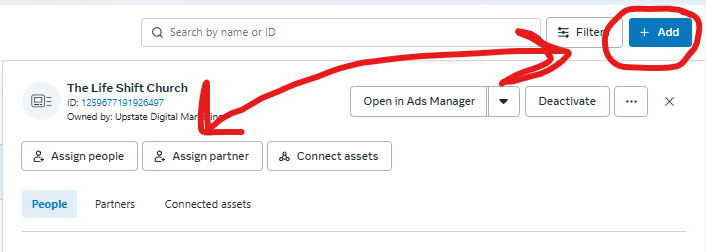
After you are done please add us as a partner to your ad account. Here is our Business Manager I.D. - 1202355176539930
2026 Best Practices for Church Ads
- Always run ads through Business Manager (not personal account)
- Focus on short-form video ads for better engagement
- Keep messaging simple, clear, and faith-centered
- Install Meta Pixel for tracking website visitors
- Set clear goals for every campaign (visits, signups, awareness)
Common Mistakes to Avoid
- Using “Boost Post” instead of Ads Manager
- Skipping Business Manager setup
- Not adding proper tracking tools
- Running ads without clear objective
Why This Matters in 2026
Facebook advertising is no longer just marketing—it is digital ministry. Churches that use ads effectively are reaching more people, increasing awareness, and guiding new visitors into real-life church engagement.
Setting up your ad account correctly is the foundation of all future church marketing success.