Your members know these people.
Your congregation recognizes the greeters, worship team, and volunteers who serve each week. A post celebrating them connects with people who already know your church.
STRATEGY 01 OF 13 · YOUR WEBSITE
Help people find what they need in your city. Give them a reason to discover your church along the way.
A parent is looking for a Christian school. A couple needs a marriage counselor. A family wants something to do this weekend. Those are real questions your neighbors bring to Google.
Create helpful pages that answer those questions. Put them in an articles area on your church website, where people can find resources connected to faith, family, and life in your city.
The goal is to give someone a useful destination when they search. A parent who finds your school guide receives practical help and discovers the church that provided it.
That is the connection to ministry: your website becomes a place your community can turn to. People can get to know your church while exploring a resource that matters to them.
Three examples from the training — choose a topic

Give local parents a starting point as they explore Christian education for their family.
Help a couple find local resources to explore when they are looking for support.
Help a family plan time together with useful ideas close to home.
Illustrative page examples and community artwork. Replace [Your City] with your location and use real local recommendations.
A practical starting point from the training.
Choose three to five topics connected to family, faith, Christianity, or church life. Start with the examples above and ask: “Would someone in our city find this useful?”
The topic should make sense to a neighbor who has never visited your church.
Create a separate page for each question. Put the subject and your city in the title so people can quickly see what the page is about.
Make each page helpful enough to give readers a useful starting point. A school guide and a family activity guide serve different needs.
Group the pages in your website’s articles area. Give each one enough useful information to help someone find the resource they came for.
Ask: “If this were my first visit to our website, would this page help me?” That is the standard to build around.
Use this as you plan the first resource pages for your church.
Start by becoming useful to the people you hope to reach.
STRATEGY 02 OF 13 · RECOMMENDED CHURCHES
Build a “Top 5” or “Top 10” church guide on your website. Help families compare their options and give them a reason to learn about you.
See the strategy in action
Agency example · Mauldin First Baptist · South Carolina
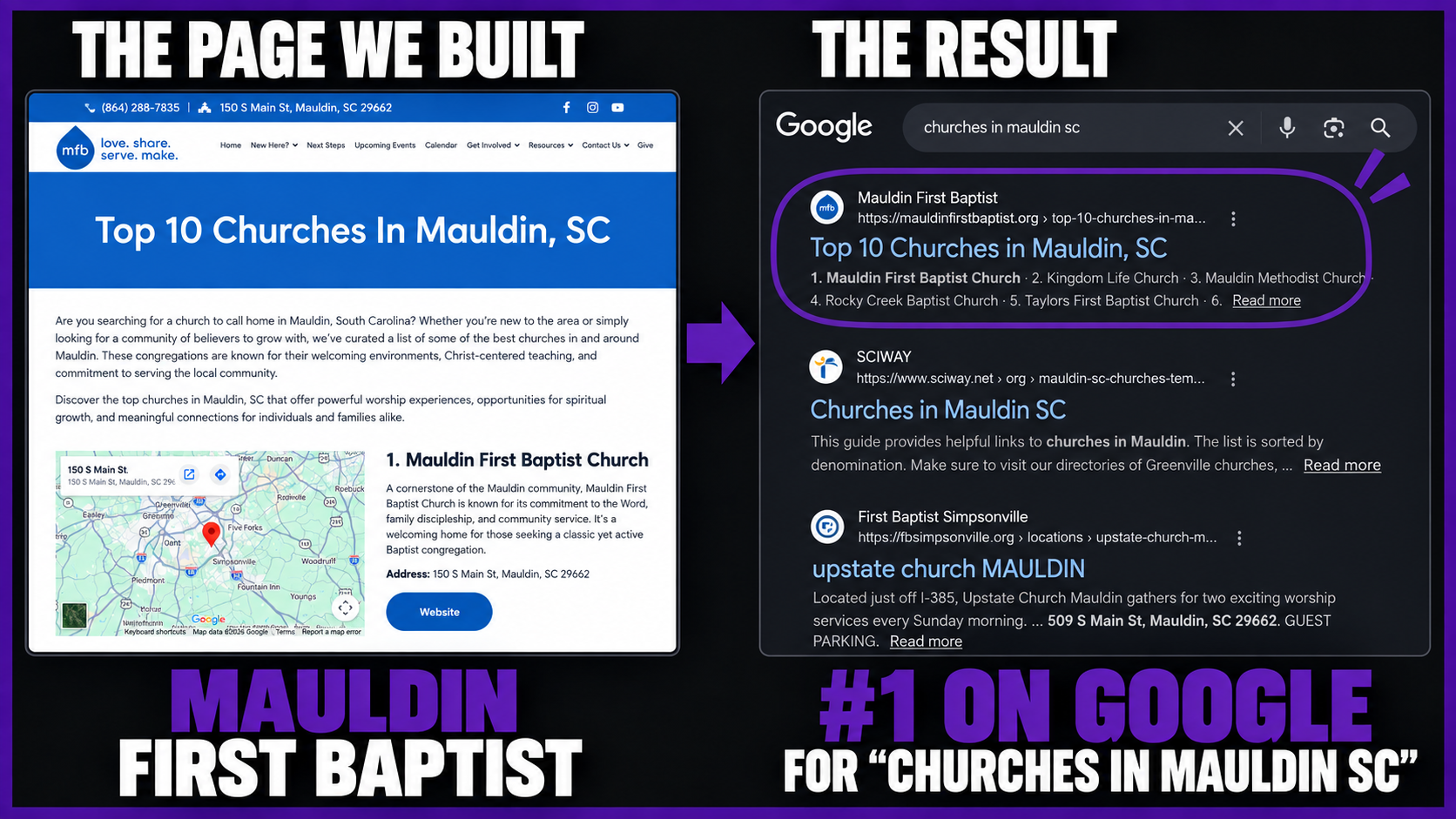
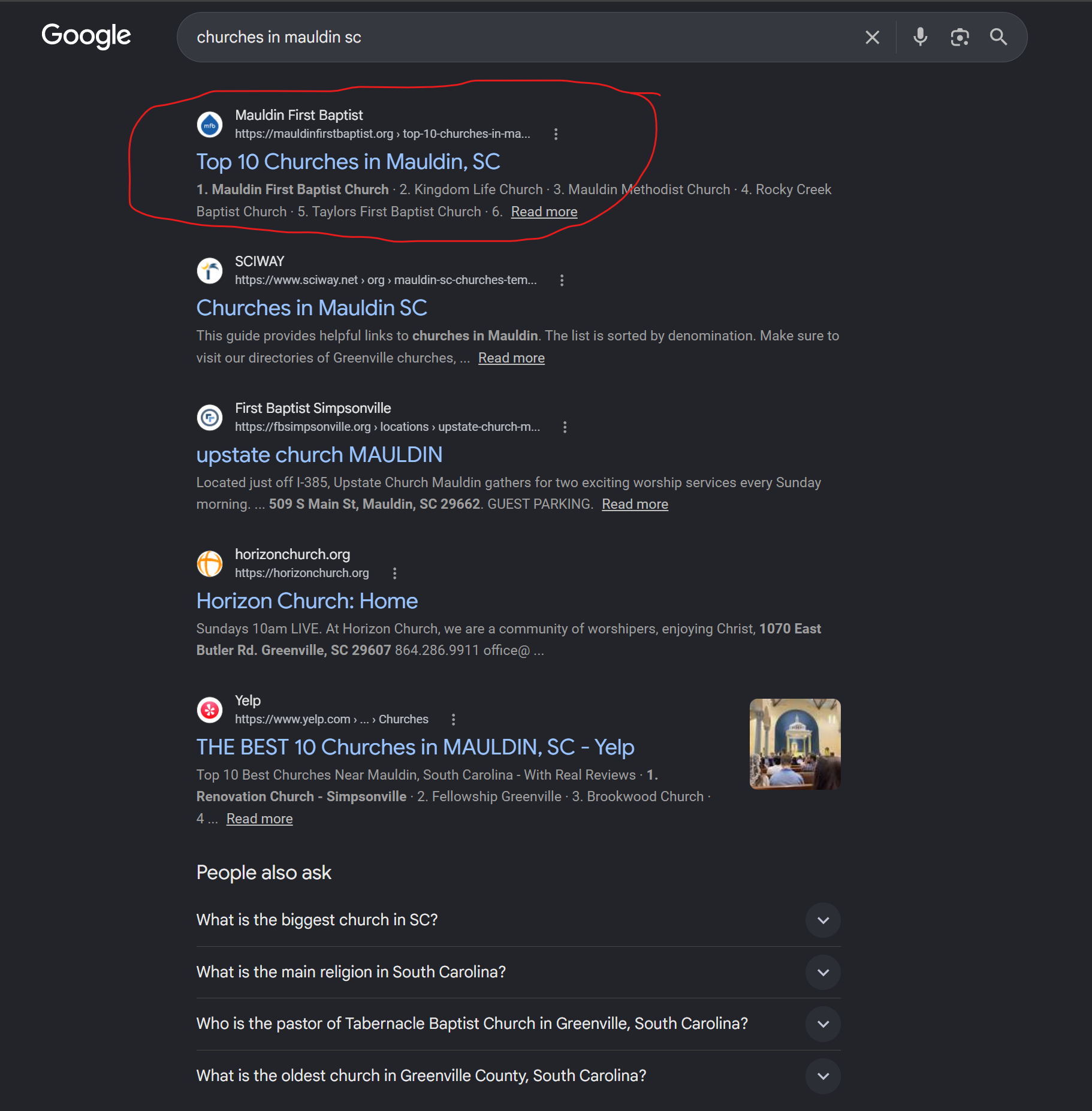
The search is “churches in mauldin SC.” The highlighted result is the church’s page listing local churches.
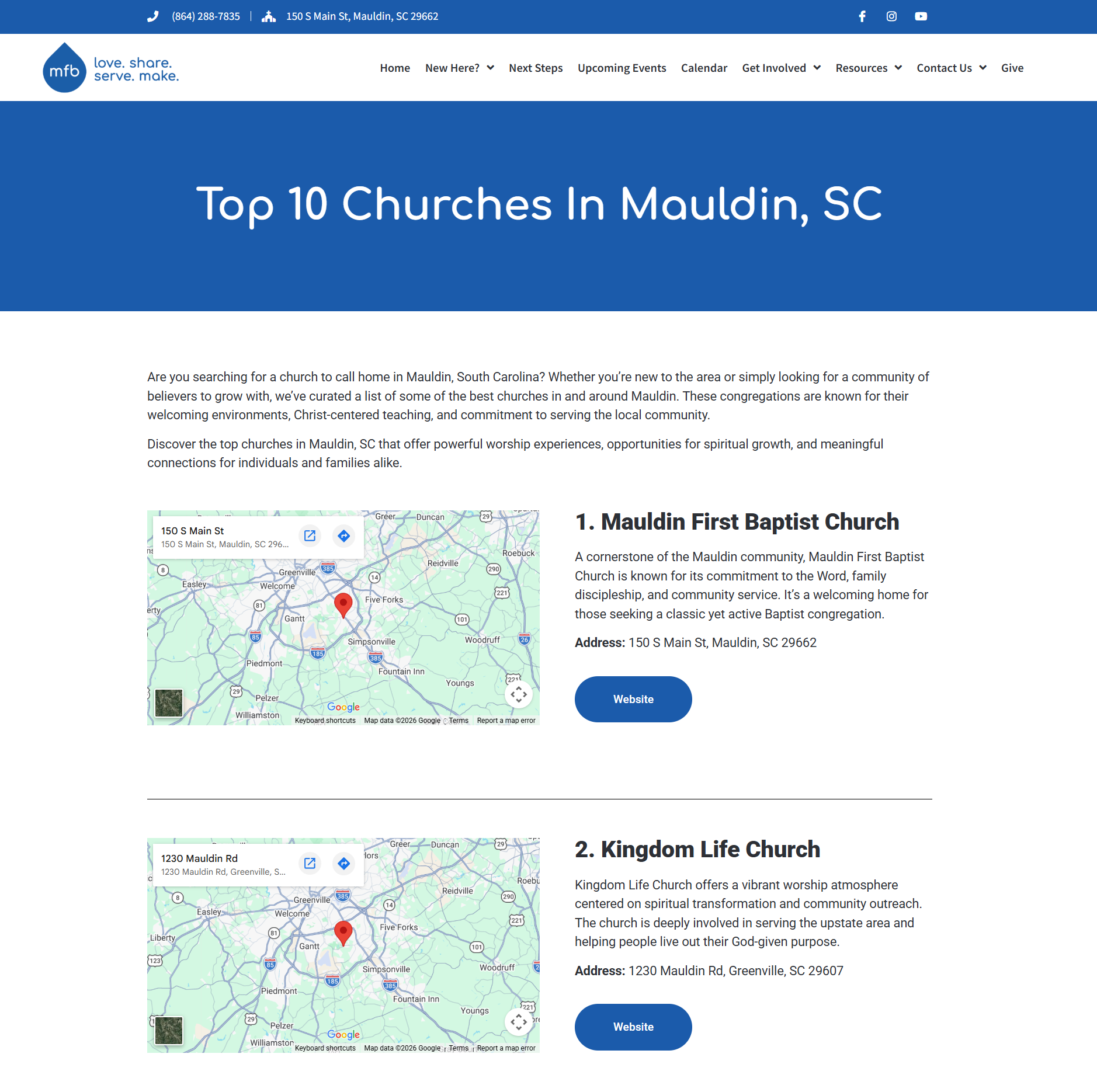
The screenshot shows Mauldin First Baptist in the first spot, followed by Kingdom Life Church.
Actual agency assets from this example. The Google position is shown as captured; search rankings can change. Select any image to see it larger.
Someone searching for a church is already looking at their options. A helpful recommendation page gives that person a place to compare nearby churches.
Your church hosts the guide. As visitors read the list, they are already on your website. They can become curious about your church and explore what you offer.
This takes the local resource idea one step further: answer a question people have about churches in your city, then give them useful information to act on.
Top 5 or Top 10 Recommended Churches in [Your City]
The exact starting list from the training.
Make it clear which church you are introducing.
Help the reader understand what that church is about.
Give people a direct way to learn more.
Show where the church is located in the community.
Use this to plan your recommended churches page.
Become the church that helps people find their next step.
STRATEGY 03 OF 13 · PLAN YOUR VISIT
Give first-time guests a place to meet you, see the church, and get answers before they decide to come.
Explore three client pages
Choose a church. See what makes the page worth exploring.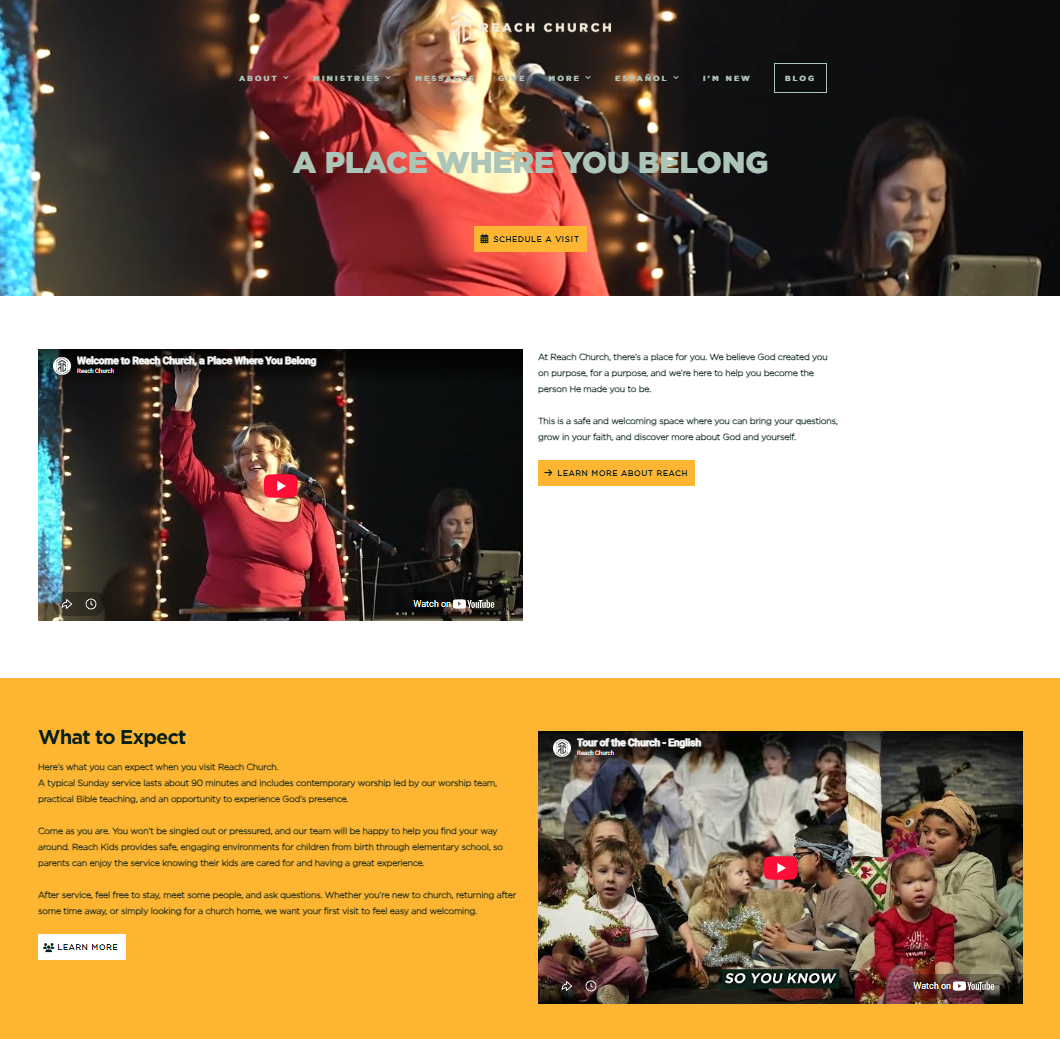
Reach Church pairs a welcome video with a separate tour video beside its What to Expect section.
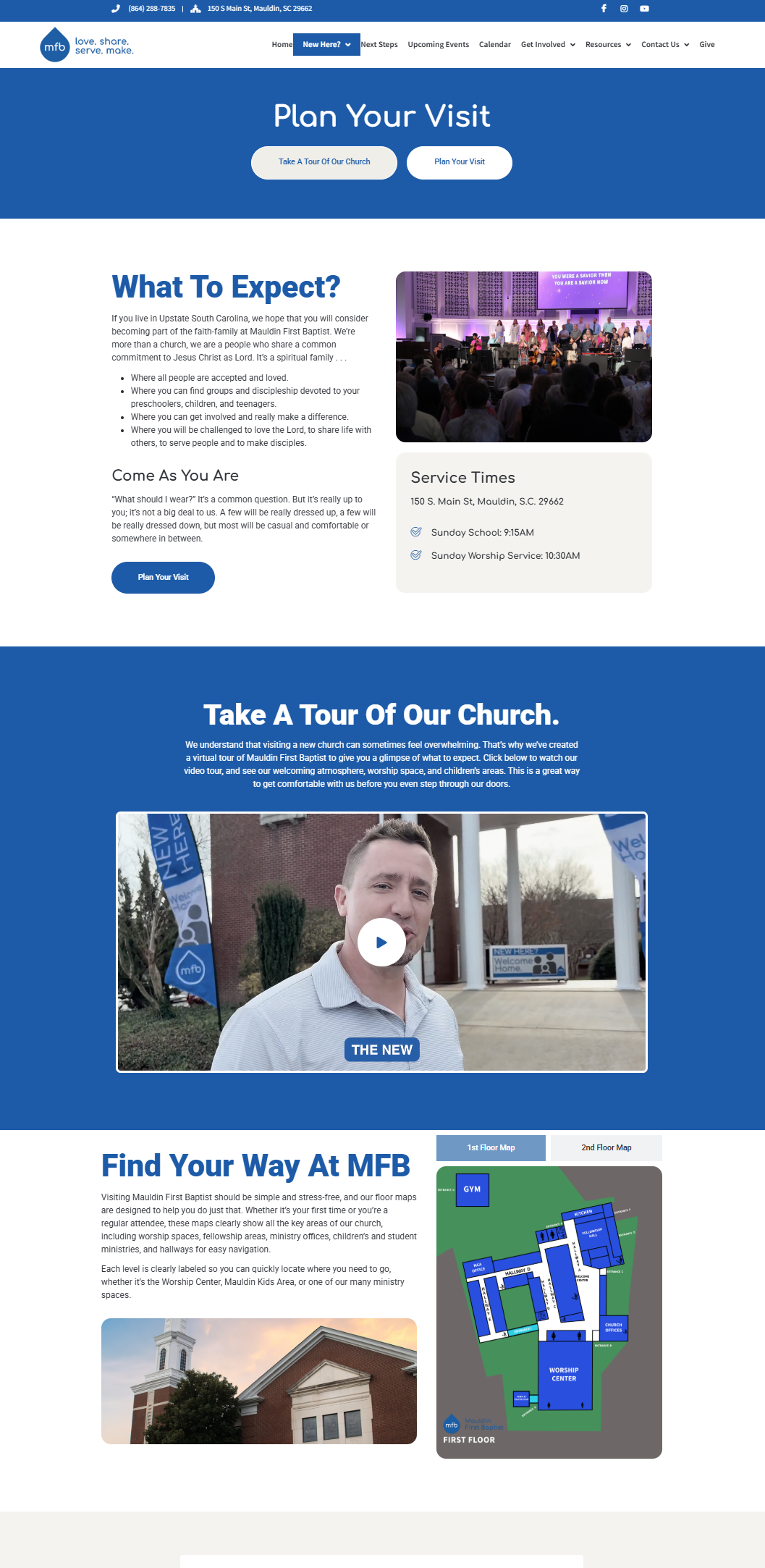
Mauldin First Baptist brings together what to expect, a church tour, and help finding your way.
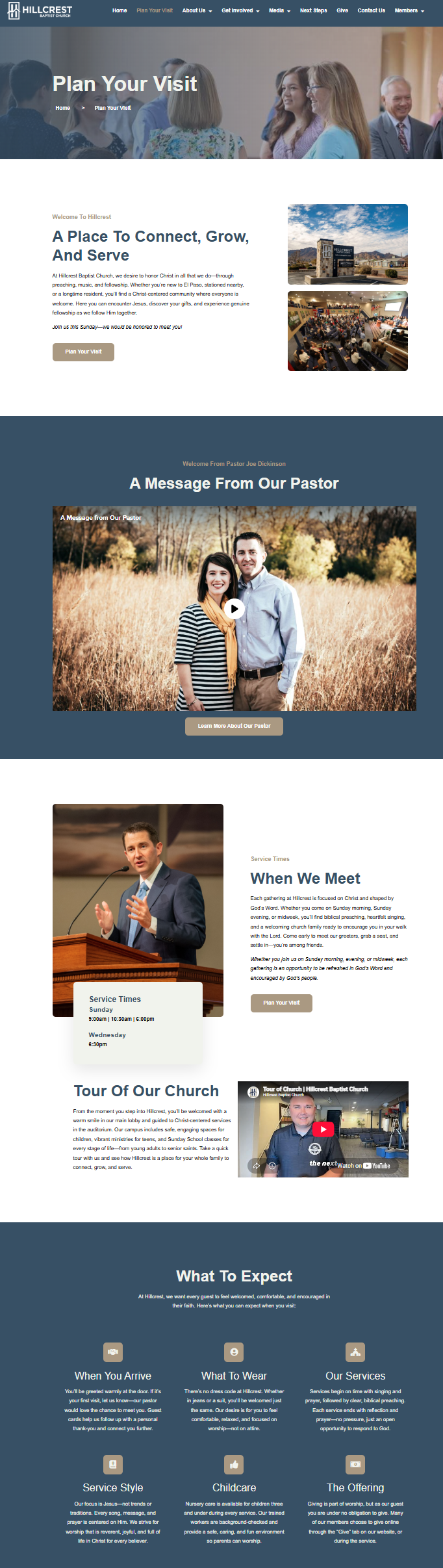
Hillcrest’s page gives guests a message from the pastor, a church tour, and information about attending.
Client page screenshots supplied for this training. Video players pictured here are part of the images. Enlarge a screenshot to read it more closely.
A person considering your church may be interested and unsure at the same time. They have not met you. They do not know the building or what their children will experience. They may be working through something difficult or deciding to take their spiritual life seriously.
Give them useful time with your church before Sunday. A few pictures and a form leave a lot unexplored. A personal welcome, a tour, clear answers, and members’ stories give people more ways to get acquainted.
The pieces to add from the training.
Speak as the pastor to the person considering a visit. Thank them for taking a look, share about the church, and let them hear how excited you are to welcome them.
Give your welcome a simple outlineStart in the parking lot and walk through the church with your phone. Show the lobby, sanctuary, and children’s ministry as you explain the spaces.
The goal is familiarity. Help someone feel like they have already visited before they arrive in person.
Build out a What to Expect section. Add an introduction to the church, the team, or you as pastor, so guests can get to know the ministry behind the invitation.
Include more photographs throughout the page. Let people see the church and the people they are getting ready to meet.
Think about the questions people have about your church or about going to church in general. Build an FAQ that answers those ten common questions directly on the page.
Write for someone considering their first visit. Each useful answer helps them understand something they would otherwise have to figure out on their own.
Create a dedicated section called “What about my kids?” Explain how your church cares for children and help parents understand what their family can expect.
Give this topic enough room to be useful. A parent should be able to find it easily and spend time learning about the children’s experience.
If you can, personally text 10–15 congregation members and ask for a 60-second video about how the church has served their life and what they love about belonging.
Place the videos together on the page. Aim for three or more so guests hear several experiences. One or two can still give you a place to start.
Check the pieces you already have. Use what remains to plan your next recordings and page updates.
Then look at the time people spend. If analytics are installed, review time spent on this page as you improve it. Work toward the training’s 10–15-minute goal by making the page useful enough for guests to keep exploring.
Help people feel like they know your church before they walk through the doors.
STRATEGY 04 OF 13 · COMMUNITY APPRECIATION
Show appreciation for the people who serve your community. Give neighbors something they can relate to and want to share.
See the difference in the audience
One idea: make your appreciation relevant throughout the city.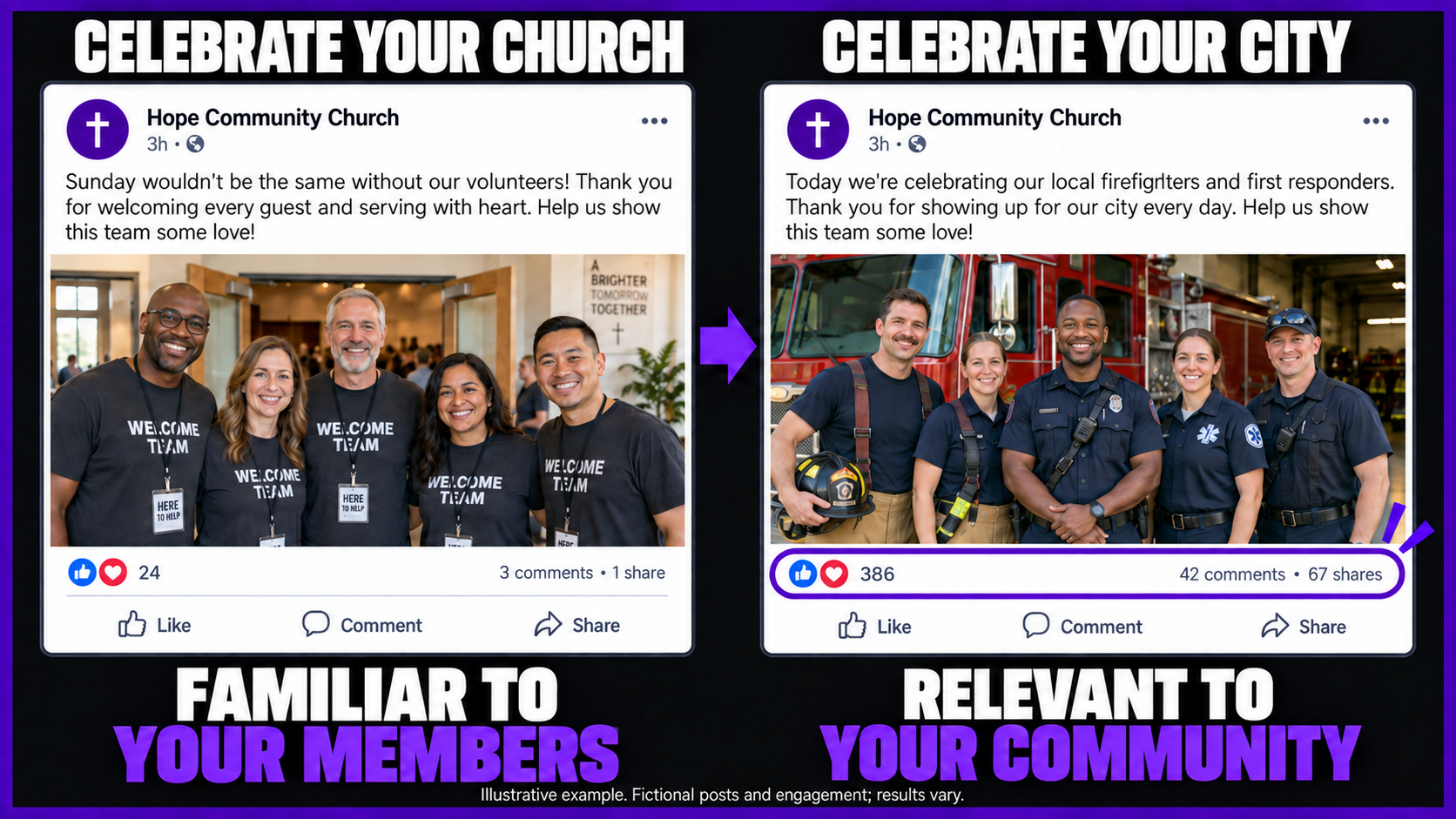
Your congregation recognizes the greeters, worship team, and volunteers who serve each week. A post celebrating them connects with people who already know your church.
Local firefighters and first responders serve people throughout the community. An appreciation post gives neighbors a reason to connect with what your church is sharing.
You want to keep your congregation engaged and reach people in your city. The person scrolling past your post may have never met your volunteers or been inside your building.
Start with something they already care about. In the training, the example is a local fire department: people whose work matters beyond the church. Your appreciation can be meaningful to someone who has no connection to your congregation.
The first-responder example from the training.
Visit the department’s Instagram page and look at the people serving your city. The example in the training uses six photos to build the Facebook post.
Choose photos of the actual local team that you can use in your appreciation post.
Tell them you appreciate them, believe in them, and are praying for them. Recognize what they do for the city and let them know they always have a place at your church.
Make the post about the people you are honoring.
Before posting, read it as someone who does not attend your church. Can they understand why these people deserve appreciation?
The question from the training is whether people throughout the city would also be willing to share it.
Prepare one appreciation post with your wider community in mind.
Celebrate people whose service gives your whole city a reason to care.
Share good things happening in your city. Give people a reason to follow your church before they are ready to visit.
 A LOCAL OPPORTUNITY WORTH SHARING
Parents of fourth graders: imagine your local school offering a free trip to the NASA Space Center. That is the kind of opportunity your church can help families discover.
A parent may not be thinking about church at all. But a free opportunity for their child? That is relevant to their life right now.
The opportunity is a free school trip to a space center. Lead with what a local family would be glad to discover.
“Parents of fourth graders” gives the post a clear audience. Someone can immediately tell whether this is for their family.
In the video, families must sign up before a certain date. Share the actual deadline and where the school asks parents to register.
This information can matter to someone who has never attended your church. They do not have to know your pastor or be looking for a Sunday service to find it useful.
When your page keeps sharing good things happening nearby, people have a reason to stay connected. The training’s first goal here is simple: get their attention.
“This church shares things I want to know about.”

Help your neighbors discover something worth knowing about, then give them a reason to keep following.
Look for positive local news and opportunities. The video suggests using AI to help research what is happening in your city.
Explain what is happening, who it helps, and what they need to do. Give a neighbor enough information to take the next step.
Let people come to expect helpful local information from your church. Give them something interesting to discover again next week.
The video’s question is straightforward: what positive things are happening in our city? Use that question to find stories or opportunities a local resident would care about.
Then open the original announcement and confirm the details. AI can help you find a lead; the school or organizer is where you check the dates and participation information.
“What positive things are happening in [your city] that local families would want to know about?”
Ask for links to the original announcements and any sign-up deadlines.
No. The training focuses on positive things people will find interesting or useful. Choose good news and opportunities your neighbors can enjoy or participate in. You do not need to cover every story, bad news, or political debates.
A church announcement usually matters most to people already connected to your congregation. A local opportunity can matter to someone with no connection to your church. Ask whether a person who lives nearby would find it useful even if they have never visited.
The first challenge described in the training is getting people’s attention. A helpful post can give someone a reason to follow your page and become familiar with your church. That is an early step in a relationship; every post does not have to turn a reader into a member immediately.
Give your city something useful today.
Give people a reason to follow along.
Give every post a clear purpose: make someone smile, help them understand, or offer encouragement. This is how we think about content in our agency.
Give someone a reason to smile.
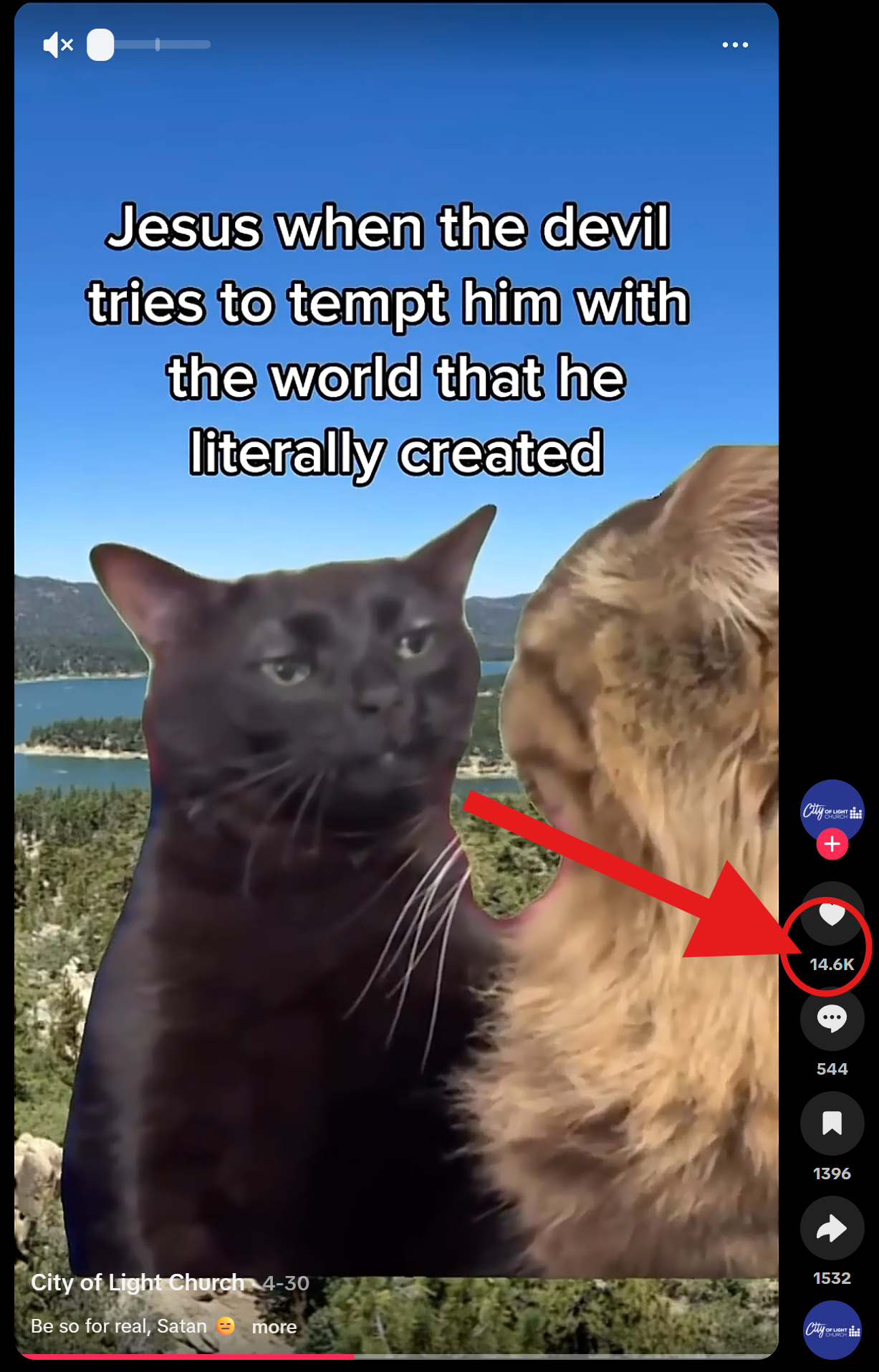 Enlarge screenshot
This cat meme pairs a familiar biblical moment with a funny expression. Someone can understand the idea quickly and enjoy it without knowing your staff or your church.
In the training, “entertaining” begins with making people smile. It does not have to mean dancing on TikTok or doing something that makes your church uncomfortable.
The point is to offer a moment people enjoy. Memes and fun videos are two examples mentioned in the video. We explore the meme strategy in the next section.
Give someone something to understand.
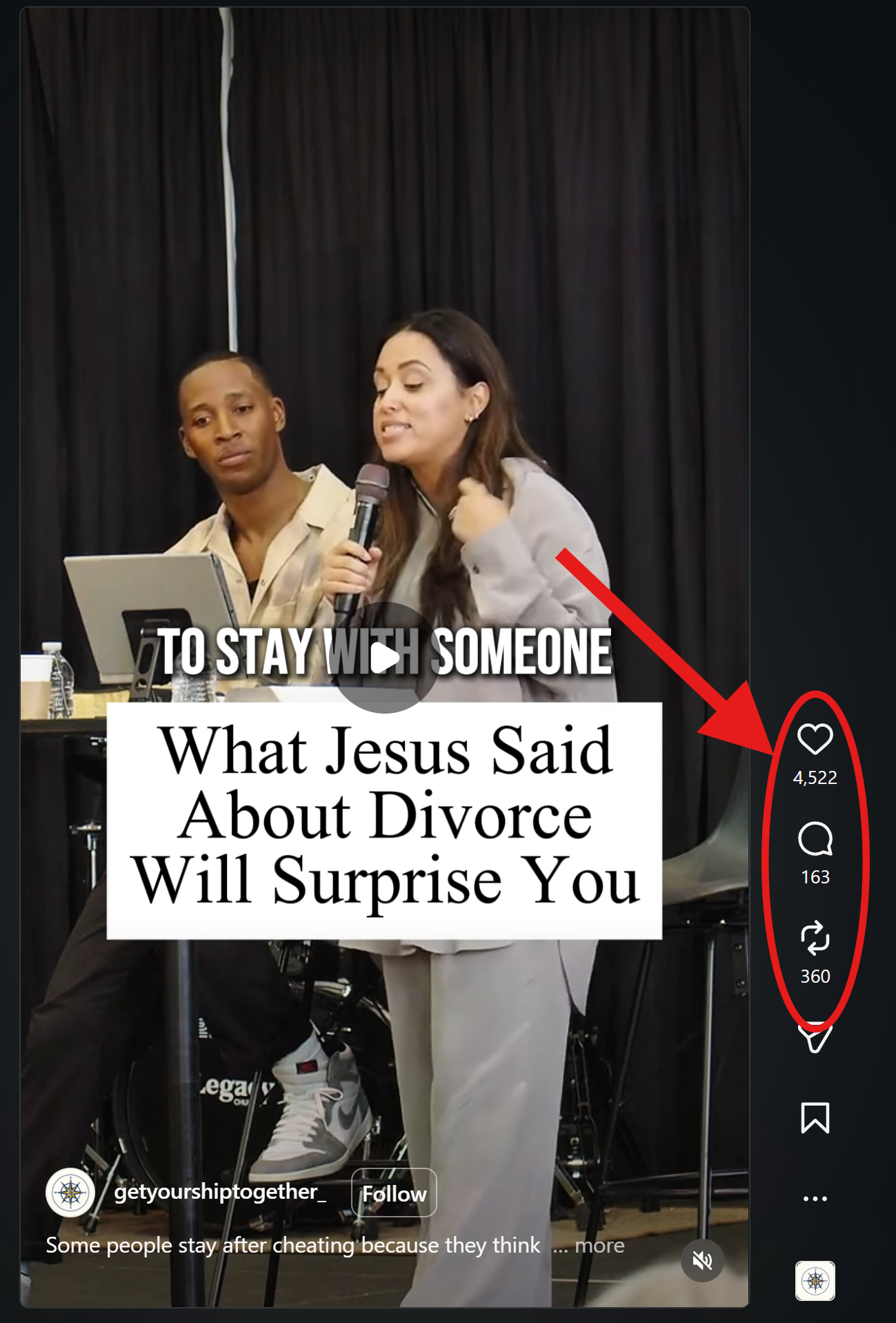 Enlarge screenshot
The headline names a specific subject: what Jesus said about divorce. A viewer can immediately see the question being addressed and decide whether they want to learn more.
“Educating” is the second E in the agency’s process. Think about what someone will understand more clearly after watching or reading your post.
A specific faith or Bible question gives that purpose a clear direction. Later in the training, the Google Trends strategy explains how to find questions people are already asking.
Give someone hope or perspective.
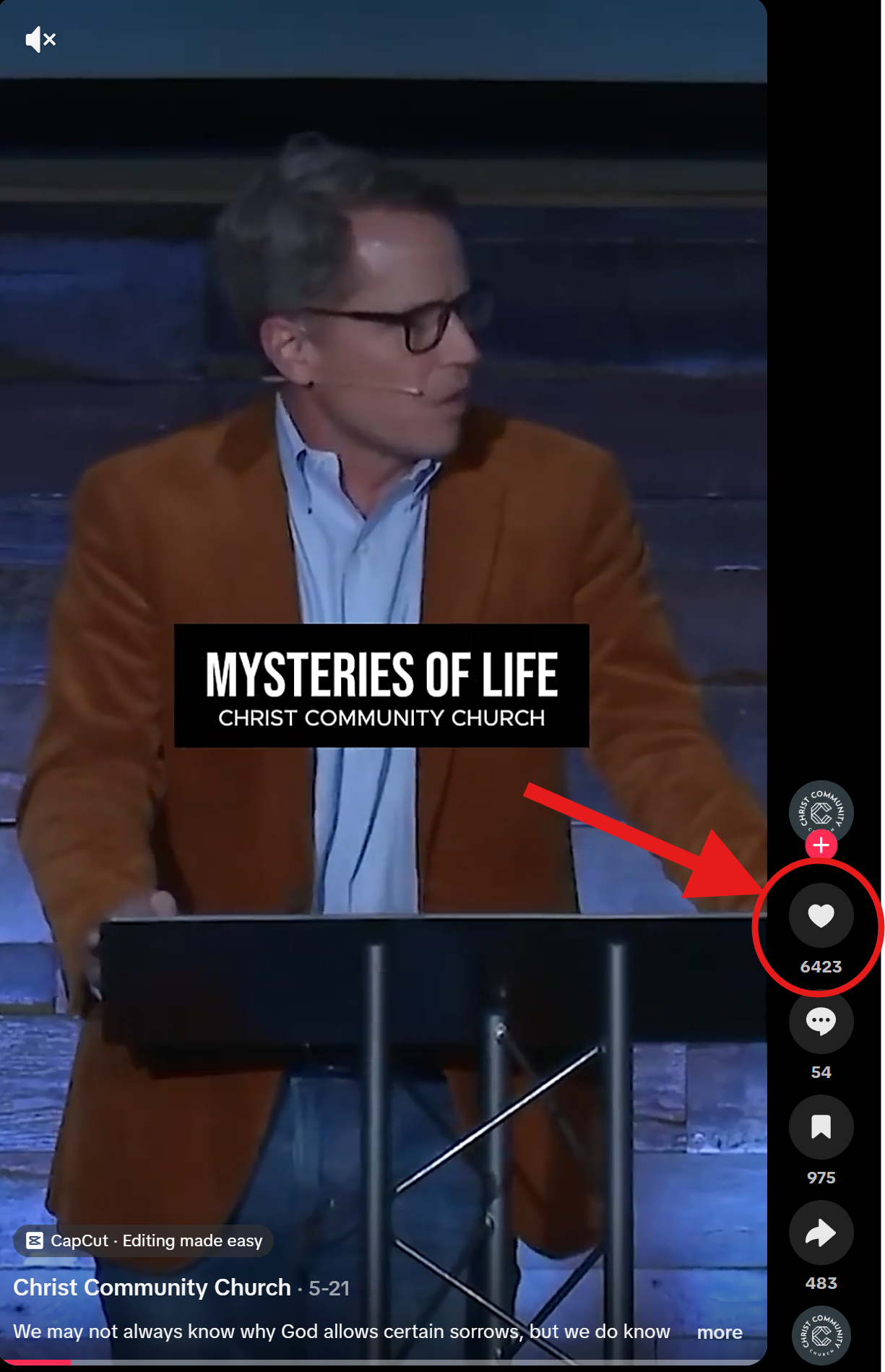 Enlarge screenshot
The “Mysteries of Life” caption begins with the sorrows people experience. That connects a faith message with a real concern someone may bring into their day.
“Encouraging” is the third E. Look for a message that offers hope, a meaningful testimony, or a perspective someone needs to hear.
The training later describes introducing encouraging videos and beautiful testimonies through the “Watch This” approach. The purpose comes first: what will this give the person watching?
Screenshots from the agency’s media examples. These are still images; tap to inspect the original screenshot.
In our agency, we want the content we post to fit under entertaining, educating, or encouraging. That gives your team a useful question before choosing what to share: what does this give someone?
The training also explains why we began looking beyond sermon clips alone. More sermon material was competing for attention, so we needed more ways to connect with people.
A sermon clip can still teach or encourage. The three E’s help you see its purpose—and recognize other content that can serve your audience too.
Name the value before choosing the format.
No. The training directly addresses that concern. Entertaining can be as simple as making someone smile. A lighthearted, appropriate meme or fun video can offer enjoyment while still fitting the voice of your church.
The training says to step outside of relying only on sermon material. Sermon clips can still educate or encourage. The opportunity is to give people additional reasons to connect with your content, including enjoyment, useful answers, and encouraging stories.
Look at the post your team is preparing and name what it gives the viewer. Does it make someone smile, help them understand something, or offer encouragement? Use that answer to explain why the post belongs on your page.
Before you ask, “What should we post?”
Ask, “What will this give someone?”
A funny Christian meme. A familiar reaction. A playful post about your pastor. Give people something they enjoy—and a reason to engage with your church.
You don’t have to dance on TikTok or push the boundaries of your church’s values. Sometimes, making someone smile is as simple as posting the cat meme.
Visible in the supplied screenshot.
The text introduces a familiar Bible story. The cat’s expression does the rest. People can understand the joke without a long explanation or a polished production.
The connection makes it work. The image and the words tell the same joke. A random funny picture with an unrelated church announcement would be a different experience.
Notice how little the viewer has to do: read the setup, recognize the reaction, and smile. That is the simple entertaining content described in the training.
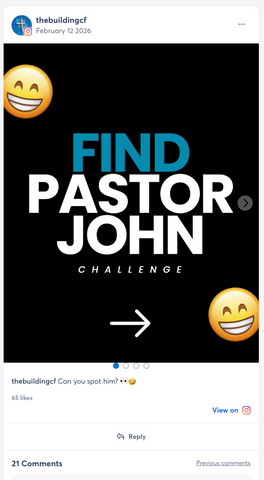
Visible in the supplied screenshot.
“Find Pastor John” makes a familiar person part of a playful challenge. The caption asks one simple question: “Can you spot him?” The invitation is easy to understand.
Fun content can come from your own church. This example uses the pastor and a game, rather than a borrowed meme format. It gives the audience something to do.
The screenshot shows the opening of a carousel. It illustrates the invitation to participate; it does not show the other slides or tell us how many people the post reached.
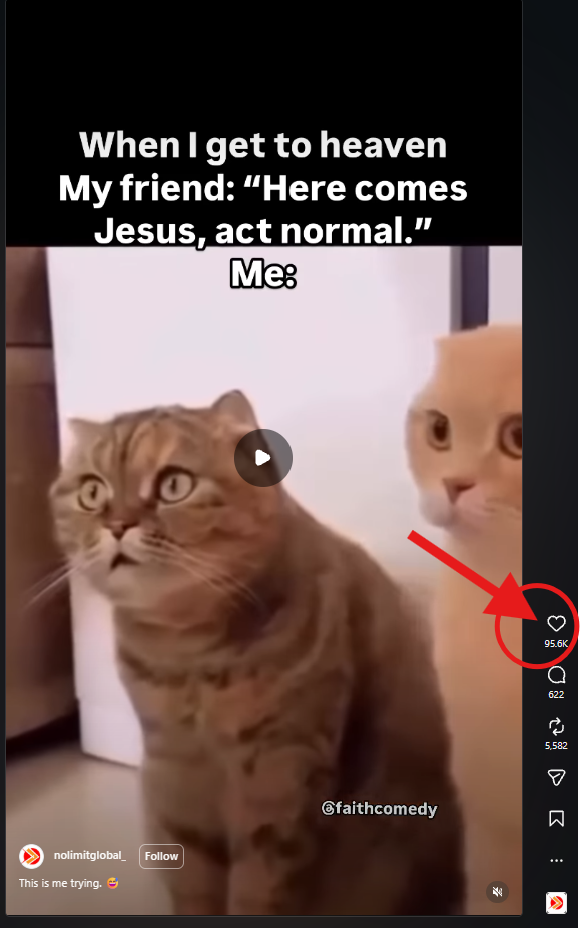
Visible in the supplied screenshot. Still image of a video.
The words imagine meeting Jesus and trying to “act normal.” The surprised cats supply the punchline. A simple reaction can carry the humor without your staff filming a whole skit.
The joke is immediately recognizable. The text supplies the situation, then the expression tells the viewer how the person feels.
The lesson is the format: a clear setup paired with a funny reaction. The screenshot is an example of that format, not a promise that every church post will receive the same response.
These examples show the posts and engagement counts captured in the screenshots. They do not establish reach, website visits, or church attendance.
A Bible moment or situation people understand.
A face, image, or short clip that delivers the joke.
A small, enjoyable moment in someone’s feed.
That is what these meme examples have in common. You are creating something people can enjoy, not asking them to read another announcement.
A skit can be fun. It can also mean getting three or four staff members together, coordinating schedules, and recording. The training’s point is simple: don’t make that level of production a requirement for entertaining content.
A meme may look different from your carefully designed church graphics. That does not make it out of place. If every post has to fit a perfectly coordinated Instagram grid, you may leave out the content that makes people smile.
Entertaining content can be simple.
Give people a reason to smile, alongside the content that educates and encourages.
A short introduction from you can lead someone to a meaningful testimony or encouraging story. Record a small collection of intros, then pair them with videos you choose to share.
That short recording becomes a personal invitation. Your team pairs it with an encouraging video, with the featured clip above and your introduction below.
You do not need to sit down and prepare a new message every time. Keep choosing worthwhile videos, and give your team a few different ways to introduce them.
The source clip carries the story. Your introduction tells people, “Take a moment to watch this.” Here is a source-content example and an illustration of the finished layout.
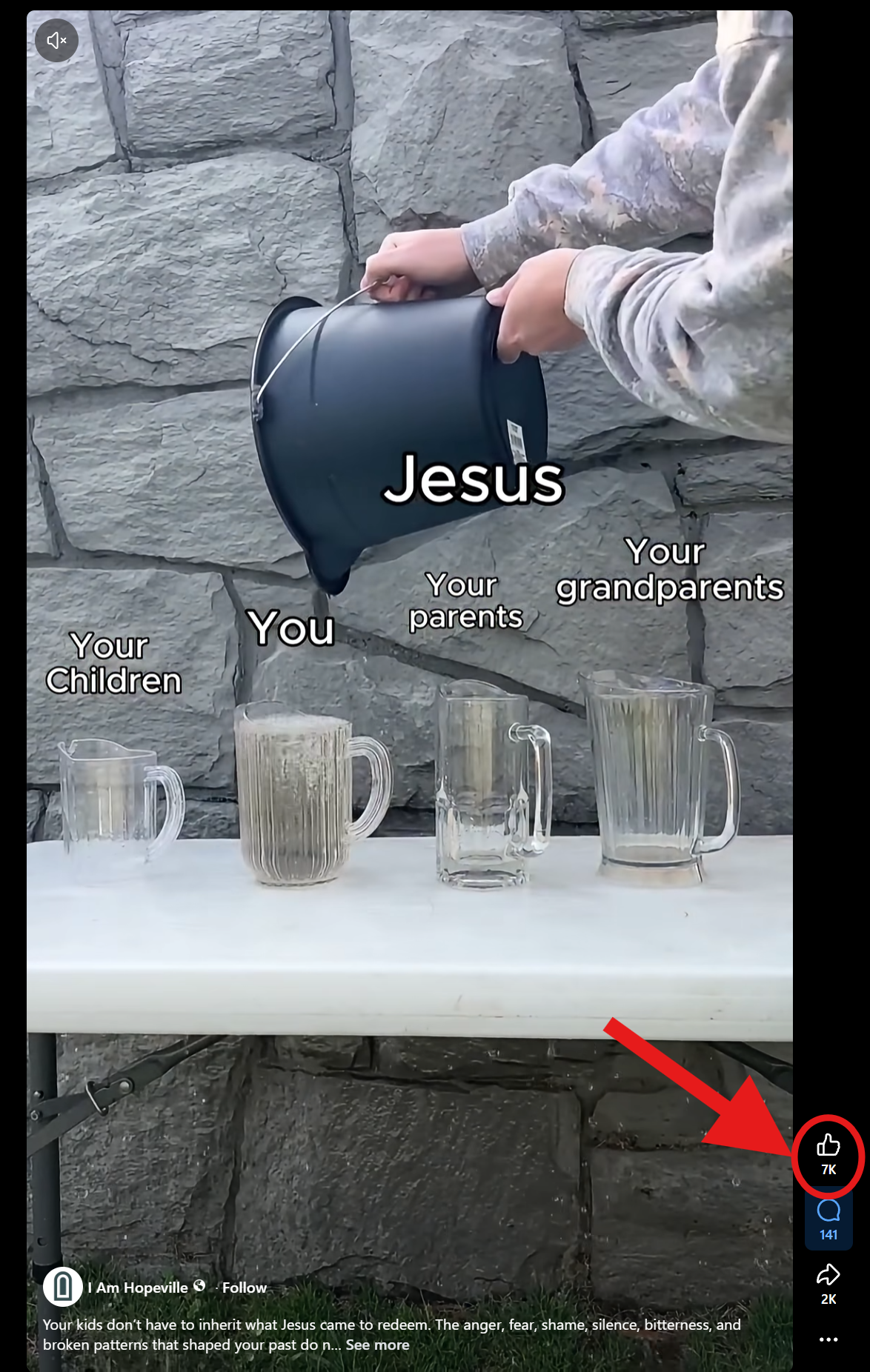
This clip uses a simple visual illustration about Jesus and generations of a family. It is an example of the kind of faith-related content you might review before deciding to share it with your audience.
Source-video screenshot, not a finished CCM “Watch This” edit. The highlighted count belongs to this original post.
The editor places the featured video above your recording. Your upward point directs attention to it, then the selected clip plays. The illustration shows the arrangement your team is creating.
Format illustration only. The walkthrough above explains the strategy.
Bring three shirts and record about seven short introductions. Look at the lens, say the line, and point upward. Change your wording and shirt to give your editor some variety.
Keep your face and pointing hand in the frame. Use your normal voice, and pair each introduction with a video you have reviewed and feel comfortable recommending.
Send the original recordings to your editor. Keep the different looks and lines together so they are ready for future videos.
In the training, Kelby describes sending 10–15 options and having the pastor choose three or four. The pastor decides which stories to share.
Your team combines an approved clip with a fitting introduction. A different story can use a recording from the same intro collection.
The training points to meaningful testimonies and uplifting videos, including Tim Tebow telling his John 3:16 story. Political or controversial content is not required. Choose material that you would be glad to introduce to your church’s audience.
Build the intro collection. Choose the stories. Let your team put the videos together.
Before someone walks into your church, they may want to know who will be there. Give your team page enough personality to help a stranger get to know the people behind the names and titles.
In the training, Kelby describes someone seeing an ad, checking the church’s social content, and visiting the website to get questions answered. The team page is part of that research.
A name and title identify a leader. A short bio and a personal detail give the visitor something to connect with.
“Put a little bio in there.
Put a fun quote.”
Kelby’s advice in the training

Lead Pastor
2Alex loves helping people connect the Bible to everyday life. He wants a first visit to feel like a chance to ask questions, meet people, and take a meaningful step in faith.
Outside of church, he enjoys neighborhood walks, trying new coffee spots, and cooking for friends.
3“There is always room for one more chair at the table.”
Keep the information useful and easy to read. The goal is to help a guest understand who this person is and what meeting them might feel like.
Keep the name and role. Add an approachable, current photo so visitors can connect a face with the person they may meet.
A guest can answer: “Who is this, and how do they serve?”
Explain what the person cares about and how they serve. A simple personal detail can make the introduction feel more natural.
A guest can answer: “What might we have in common?”
Use a line the person would actually say. It can be warm, lighthearted, or encouraging. It should sound like them.
A guest can answer: “What are they like as a person?”
Some people will explore quietly before completing a form. Make the team page useful for that person, too.
An example visitor path based on the training, not a required sequence.
Use these prompts to collect the raw material, then edit it into a short bio. Let each team member review their own introduction before you publish it.
My name is [name], and I serve as [role]. I love helping people [how you serve or what you care about]. Outside of church, you’ll usually find me [a real interest or personal detail]. A line that sounds like me is: “[your quote].”
Kelby calls this a frequently visited page in the training. Look at your church’s actual page traffic and engagement before assuming where it ranks. The practical question is whether the people arriving there find a helpful introduction.
Include background that helps a guest understand the person’s role, but leave room for personality. Someone researching a first visit may want to know what the leader cares about and what they are like, as well as their title.
The training suggests a fun quote as a way to add personality. It does not need to be a joke. A sincere line, a favorite saying, or a warm personal detail can serve the same purpose if it reflects the person.
Read the page as someone meeting the team for the first time. Can you identify each person, understand their role, and read the bio without a wall of text? Keep the photo, name, role, and personal introduction together so the connection is easy to follow.
Your team page can make the people behind the church easier to know. A personal conversation takes that introduction a step further.
Based on the team-page advice in the training. The sample profile and writing prompts illustrate how to apply it.
Invite people in your city to book a one-on-one video call with you. Hear their story, learn about their experience with church, and ask how you can pray for them.

Kelby’s idea is to run a local ad that offers an actual conversation with you. Your willingness to listen is central to the invitation.
Coffee with a pastor can be valuable. Kelby describes the practical challenges his team encountered: last-minute cancellations, travel, finding a location, and having enough quiet to talk.
Changing the format does not eliminate cancellations or the time commitment.
The training emphasizes direct access to the pastor. People may be looking for someone to listen, offer guidance, or help them think through questions about faith and church.
When the invitation promises time with you, make sure you are the person who shows up for that conversation.
Keep the offer clear at every step. The ad, booking experience, and call should all describe the same personal opportunity.
Run a local ad offering a one-on-one video conversation with the pastor.
Offer times you can actually keep and explain how they will join.
Show up ready to listen and give the person your attention.
Use the three topics below to guide an open conversation.
Make it clear who they will speak with and what they can talk about. Use your own voice so the person who joins the call meets the same pastor they saw in the ad.
Suggested wording based on the strategy. Replace the name and adapt it to your church.
These questions provide a starting point. Listen to the answers, ask thoughtful follow-ups, and leave room for the conversation and prayer to unfold naturally.
Kelby suggests asking how they came to the city and inviting them to share a little of their story. Let them decide what they are comfortable sharing.
“What brought you to this area?” Then follow their answer. The goal is to understand the person in front of you, rather than move quickly through a list.
The training mentions past attendance, church hurt, and how someone thinks about church and faith. Give them space to explain their experience in their own words.
“Is there anything from that experience you would want me to understand?” Listen before explaining your church. Their answer can help you respond with care.
This is the third question Kelby names. Let the person share what matters to them, then respond with a personal, thoughtful prayer.
“Would you be comfortable with us praying about that together now?” Keep the prayer connected to what they actually shared with you.
The training leaves room for other things to happen organically and for the Holy Spirit to lead. Give yourself permission to listen longer when an answer opens up a meaningful conversation.
Set aside times you can reliably offer. The value of the strategy depends on your willingness to be present, so start with a commitment you can keep.
Clearly explain the day, time, time zone, who will be on the call, and how to join. Choose a call length that fits the time you can genuinely give.
Choose a quiet place, set distractions aside, and have the three topics nearby. Let the person’s answers shape what you talk about next.
Practical setup suggestions for carrying out the training’s idea. The transcript does not prescribe a call length or a particular scheduling platform.
Your team can help make the logistics clear, but the offer described in the training is a one-on-one conversation with the pastor. Make sure the invitation accurately names the person who will be meeting with them.
Kelby acknowledges that this can happen. It does not mean every conversation will go that way. Listen respectfully, keep the exchange useful, and recognize that different people will arrive with different questions and expectations.
It can remove travel and location logistics. It still asks for your attention and time, and people can still cancel. The training presents virtual meetings as an alternative worth considering, not a guarantee that every booked conversation will happen.
The training’s point is that offering real access takes work, and that personal investment is part of its value. You are giving someone the chance to be heard by a pastor. The conversation can be meaningful even before they have decided whether to visit your church.
Offer real access. Hear their story. Understand their experience with church. Ask how you can pray. Make the conversation itself valuable to the person who booked it.
Based on the virtual-meeting strategy in the training. The invitation example and setup suggestions show how to put that idea into practice.
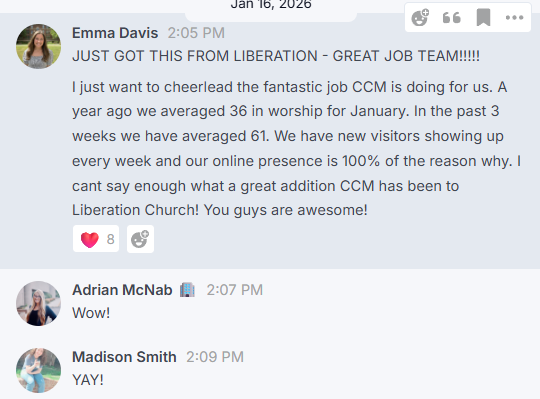
Liberation Church shared that new visitors were showing up each week and described CCM as a valuable addition to their team. Read the message below for their experience in their own words.
You may already know what you want to try. You may want help choosing where to begin. Bring your questions, your current content, and the challenge you are working through. We can talk about what putting these ideas into practice could look like for your church.
Talk through my church’s strategy