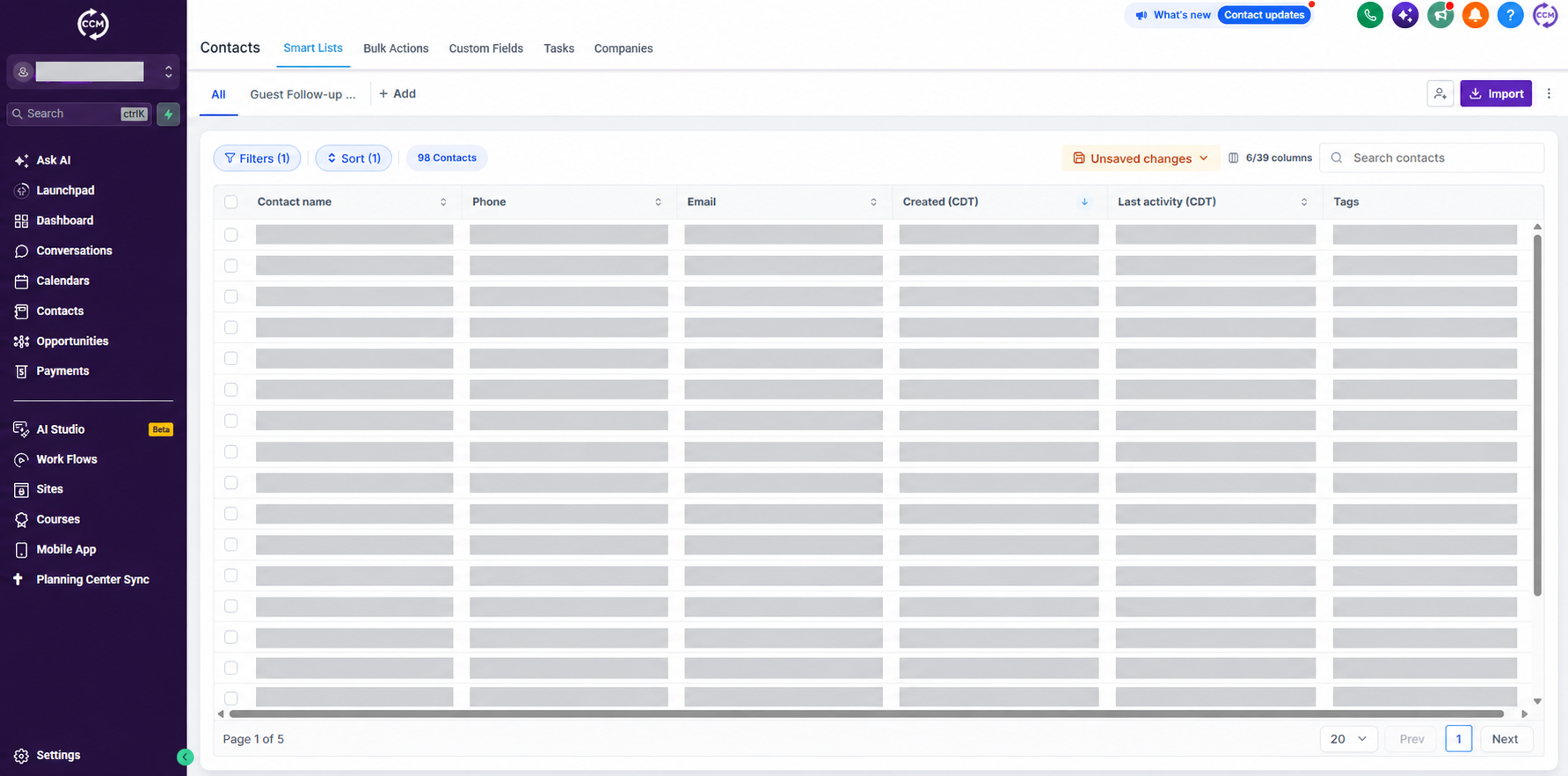
HighLevel is where your church can see visit requests and use the follow-up tools configured for this campaign. Access and all phone, text, and email usage are included: $97/month for the first 3 months, then $297/month from month 4.
The software may already look familiar. Other agencies can brand HighLevel with their own name. We use the same underlying platform and will confirm the features, integrations, and workflows your account supports.
See HighLevel.
Here’s what HighLevel looks like with Creative Church Marketing. See your contacts and follow up from one place. Private contact details are hidden.
A
Create a new account.
Choose this if you are starting fresh or want a separate account for this campaign. We’ll use your signup details to prepare a new church sub-account.
Requesting an account does not mean it is already created or ready to receive leads. We’ll confirm when setup is complete.
B
Request a transfer.
HighLevel supports moving a sub-account between agencies. A transfer can preserve account data and workflows, and requires your current agency’s participation.
We’ll review what carries over and what needs reconnecting. This does not automatically cancel your current provider’s billing.
How to request a transfer.
Confirm that you want to move the whole church sub-account. A transfer does not merge it with another account.
Send your current agency the request below. Its agency administrator starts the transfer in HighLevel, and our agency accepts it.
Choose “Request a transfer” in the form below and tell us the church sub-account name. We will check access, integrations, and existing automations before connecting the new campaign.
Please transfer our church’s HighLevel sub-account to our new agency, Upstate Digital Marketing (Creative Church Marketing). The receiving agency relationship number is 0-107-842. Please confirm the timing with us before initiating the transfer so we can coordinate our active campaigns and communications.
Contacts, conversations, and workflows can move with the account. Some connected services need to be reconnected. Your existing provider must participate; this request does not cancel its billing.
OPTION C · KEEP YOUR EXISTING ACCOUNT
Add our team to the HighLevel account you already use.
Ask your current account administrator to add both people below with the administrator access needed for campaign setup.
Sign into your church’s HighLevel account. Open Settings → My Staff → Add Employee. Your provider may use a different name for the software.
Add Kelby using the exact email address above. Under Roles & Permissions, choose Admin for your church’s sub-account and save. Repeat for Ken.
Tell us the software login URL and your church’s sub-account name in the form below. We’ll verify both invitations reach the correct account.
If you cannot add users, ask your current agency’s administrator to add them.
Your current agency’s charges and permissions still apply. If you are unsure whether your software is HighLevel, choose “I’m not sure” and provide the login website and provider’s name.
SAVE YOUR NEXT STEP
Save your HighLevel choice.
Choose a new account, request a transfer, confirm invitations, or tell us you are not sure yet. Use the same signup email so we can match this to your church.
Use the same email you used at signup. Submit the form to save your details. Only submitted information is saved; unsaved entries do not follow you to another device.